A motherboard chipset is the control hub that helps your CPU communicate with the rest of the PC: storage drives, USB ports, network controllers, expansion slots and other onboard features. It does not make a slow CPU fast, but it decides how much connectivity, upgrade room and tuning control your motherboard can realistically offer.
The chipset also works together with the CPU socket. That matters because you cannot choose a motherboard by brand or price alone. A Ryzen CPU needs the right AMD socket and chipset family. An Intel CPU needs the correct LGA socket and a compatible board generation. Get this wrong and the system either will not boot or will lock you into the wrong upgrade path.
Motherboard Chipset vs Socket: The Simple Difference
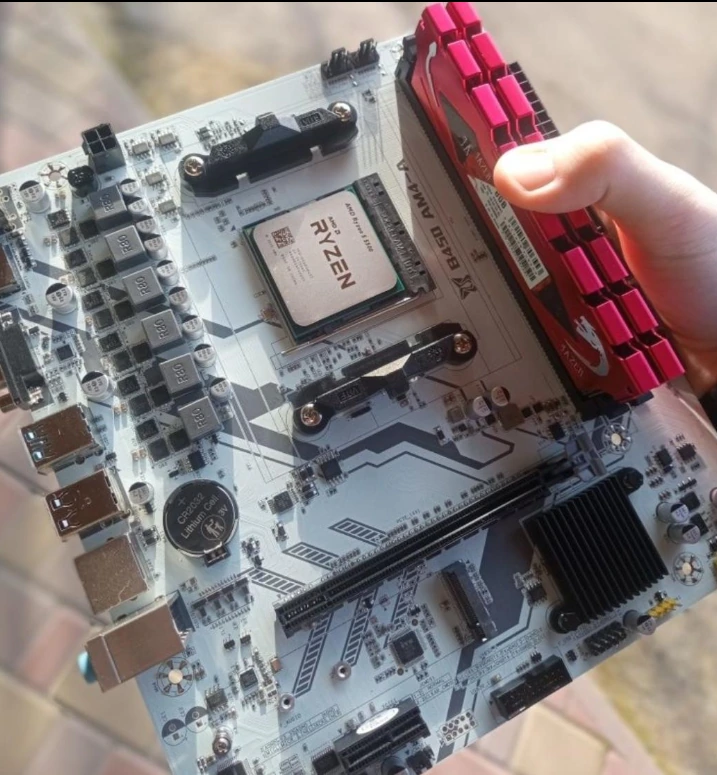
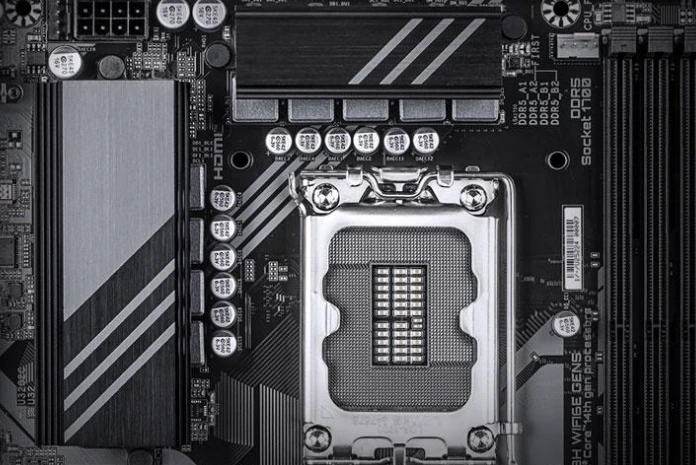
The socket is the physical and electrical interface where the processor sits. It determines whether the CPU can fit and communicate with the board. AMD AM4, AMD AM5, Intel LGA 1700 and Intel LGA 1851 are examples of desktop CPU sockets.
The chipset is different. It is the motherboard platform controller that expands what the CPU can connect to. Modern processors already include important controllers inside the CPU itself, including memory support and direct PCIe lanes for graphics cards and NVMe SSDs. The chipset adds more lanes, ports and platform features around that CPU.
A useful way to think about it:
| Part | What it controls | Why it matters |
| CPU socket | Physical CPU compatibility | Determines which processors fit |
| Chipset | Connectivity and platform features | Determines ports, lanes, tuning and expansion |
| VRM | Power delivery to the CPU | Determines stability with higher-power CPUs |
| Form factor | Board size and layout | Determines case fit and expansion space |
For a gaming or everyday PC, the socket comes first. The chipset comes next. After that, you check VRM quality, ports, RAM support and the board’s physical size.
Why the Chipset Matters for PCIe, USB and Storage
Modern PCs use PCI Express, or PCIe, to move data between the CPU, graphics card, NVMe SSDs and other expansion devices. The CPU has a limited number of direct PCIe lanes. High-end CPUs may provide enough lanes for a graphics card and one or more fast SSDs, but not for every possible device.
That is where the chipset helps. It adds extra connectivity for things like additional M.2 slots, SATA drives, USB ports, Wi-Fi controllers, Ethernet chips and capture cards. The stronger the chipset tier, the more flexible the board usually becomes.
The important word is “usually.” A chipset may support many features on paper, but the motherboard manufacturer decides how many of those features are actually exposed on the board. Two motherboards with the same chipset can have very different rear USB layouts, M.2 slot counts, networking options and internal headers.
This is why you should not buy a motherboard only because it says B650, X870, B760 or Z790. You need to check the exact model’s specification page and layout.
AMD Chipsets and Sockets in 2026
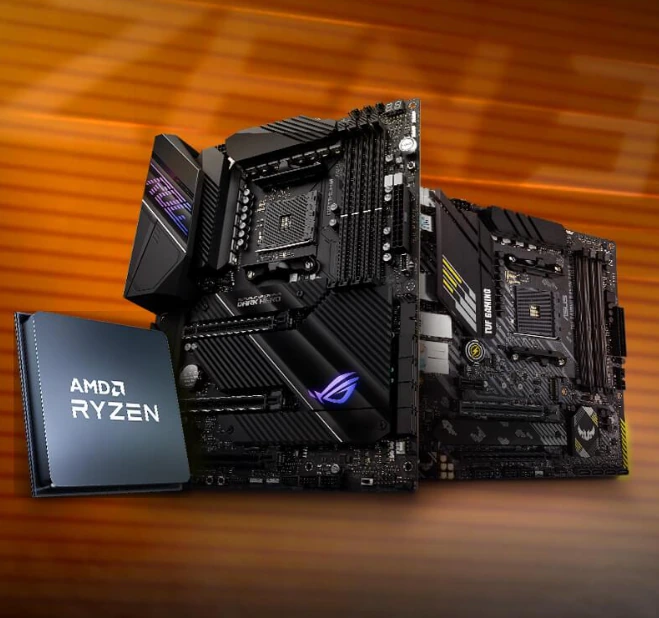
For AMD desktop builds, the two practical socket families are AM4 and AM5.
AM4 is the older platform. It supports many Ryzen 1000 through Ryzen 5000 processors and uses DDR4 memory. It remains attractive for budget builds because CPUs, motherboards and RAM can be cheaper.
AM5 is the newer platform. It supports Ryzen 7000, Ryzen 8000 and Ryzen 9000 desktop processors, uses DDR5 memory, and is the better choice for a new build if you care about longevity.
The main AMD decision looks like this:
| Platform | Memory | Best for |
| AM4 | DDR4 | Low-cost upgrades and budget PCs |
| AM5 B650 / B850 | DDR5 | Mainstream gaming and balanced builds |
| AM5 X670 / X870 | DDR5 | More ports, more storage, stronger expansion |
| AM5 X670E / X870E | DDR5 | High-end builds with more PCIe 5.0 support |
For most gamers, a good B650, B850 or X870 motherboard is enough. You do not need the most expensive X870E board unless you want more high-speed storage, more expansion, stronger power delivery or premium rear I/O.
The practical AMD rule is simple: choose AM4 only when price matters more than future upgrades. Choose AM5 for a fresh build.
Intel Chipsets and Sockets in 2026
Intel desktop platforms require extra attention because Intel changes sockets more often than AMD.
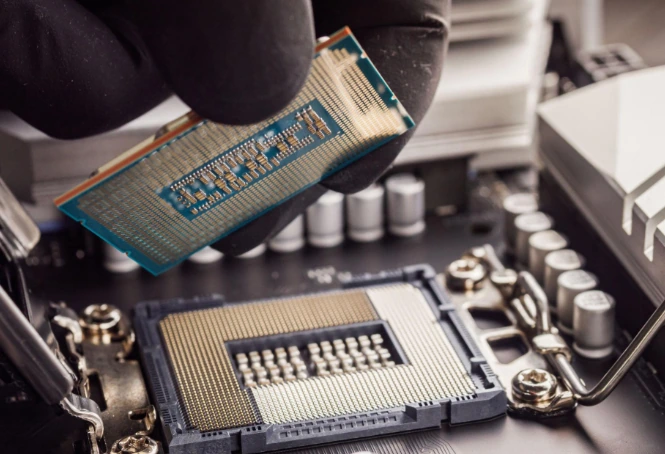
LGA 1700 supports 12th, 13th and 14th Gen Intel Core processors, depending on BIOS support and motherboard model. Common chipsets include B660, B760, H670, H770, Z690 and Z790. Some LGA 1700 boards use DDR4, while others use DDR5. A board cannot use both types at the same time unless it is a rare special design, so always check memory support before buying RAM.
LGA 1851 is the newer socket for Intel Core Ultra desktop processors. It uses newer 800-series boards such as Z890, B860 and H810. These are the boards to consider if you are building around Intel’s newer desktop CPU generation.
A simple Intel buying guide:
| Platform | Best for |
| LGA 1700 B760 | Affordable 12th–14th Gen Intel builds |
| LGA 1700 Z790 | Higher-end 12th–14th Gen builds and CPU overclocking |
| LGA 1851 B860 | Newer mainstream Core Ultra builds |
| LGA 1851 Z890 | Higher-end Core Ultra builds with more features |
For a new Intel build in 2026, LGA 1851 makes more sense if the price fits your budget. LGA 1700 can still be good when discounted, especially if you already own compatible DDR4 memory or find a strong CPU-and-board deal.
Does the Chipset Affect Gaming Performance?
The chipset usually does not directly change gaming FPS when the same CPU, GPU and memory are used. A Core i5 or Ryzen 7 does not become dramatically faster just because it sits in a more expensive chipset.
The difference appears indirectly.
A better motherboard can help the CPU maintain boost clocks if the VRM is strong enough. It can support faster memory tuning, more NVMe drives, cleaner BIOS features and better cooling around power components. It may also give you more USB ports, faster networking and easier future upgrades.
For gaming, the chipset should match your real needs:
| User type | Better choice |
| Budget gamer | B-series board with decent VRM |
| Mid-range gaming PC | Strong B-series or lower X/Z-tier board |
| High-end CPU + high-end GPU | Better VRM and cooling matter more |
| Heavy storage setup | Higher chipset tier with more M.2 and SATA options |
| Overclocking-focused build | AMD higher-tier board or Intel Z-series board |
Do not overspend on a flagship motherboard if you only need one GPU, one SSD and a mid-range CPU. Put that money into the graphics card, CPU or monitor first.
VRM Quality Matters More Than Many Buyers Think
VRM stands for voltage regulator module. It converts power from the power supply into the lower, stable voltages your CPU needs. When a processor boosts under heavy load, the motherboard has to feed it clean power without overheating.
This matters most with higher-power CPUs. A budget board may technically support a Ryzen 9 or Core i9, but that does not mean it is the best match. If the VRM runs too hot or lacks enough headroom, the CPU may lower clock speeds under sustained load.
When checking VRM quality, look for:
- a proper heatsink around the CPU socket;
- enough power phases for the CPU tier;
- reviews that test VRM temperatures;
- an 8-pin CPU power connector, or 8+4 / 8+8 on stronger boards;
- a board that other users successfully pair with the same CPU class.
For a Ryzen 5, Ryzen 7, Core i5 or Core i7, you do not need an extreme motherboard. For a Ryzen 9 or Core i9, avoid the cheapest board in the lineup unless you have clear review data showing it can handle sustained load.
RAM Support: DDR4 vs DDR5 Is a Platform Decision
Memory compatibility is not just about speed. It is tied to the motherboard platform.
AMD AM4 uses DDR4. AMD AM5 uses DDR5. Intel LGA 1700 can be found in DDR4 and DDR5 motherboard versions, but you must choose one. Intel LGA 1851 is a DDR5 platform.
DDR5 is the better long-term choice for a new build, but DDR4 can still make sense for a budget PC if you already own a good kit. The mistake is buying a CPU, motherboard and RAM separately without checking that all three match.
For example, an Intel 13th Gen CPU can work with a DDR4 B760 board or a DDR5 B760 board. The CPU may be compatible with both, but the motherboard decides which RAM type you can install.
Form Factor: ATX, Micro-ATX and Mini-ITX
Motherboards come in different sizes. The most common are ATX, Micro-ATX and Mini-ITX.
ATX boards are the standard choice for most desktop builds. They usually offer more expansion slots, more M.2 space, more headers and easier cable routing.
Micro-ATX boards are smaller and often cheaper. They can be excellent for budget and mid-range PCs, but you should check slot spacing and the number of M.2 slots before buying.
Mini-ITX boards are built for compact systems. They look clean and can be powerful, but they usually cost more for fewer slots because fitting everything into a small PCB is harder.
The form factor must match your case. An ATX case can usually fit ATX and Micro-ATX boards. A small Mini-ITX case will not fit a larger board.
How to Choose the Right Motherboard Chipset
Start with the CPU you want to use. Then choose the socket. Then choose the chipset tier that gives you the features you actually need.
A safe buying process looks like this:
- Pick the CPU first.
- Confirm the required socket.
- Choose DDR4 or DDR5 where the platform allows it.
- Decide how many M.2 SSDs, SATA drives and USB ports you need.
- Check whether you need Wi-Fi, Bluetooth or 2.5G Ethernet.
- Match the motherboard size to your PC case.
- Check VRM quality if using a higher-power CPU.
- Read the exact model specifications before buying.
The best motherboard is not always the most expensive one. It is the board that supports your CPU properly, has enough power delivery, gives you the ports you need, and does not waste your budget on features you will never use.
Common Mistakes When Buying a Motherboard
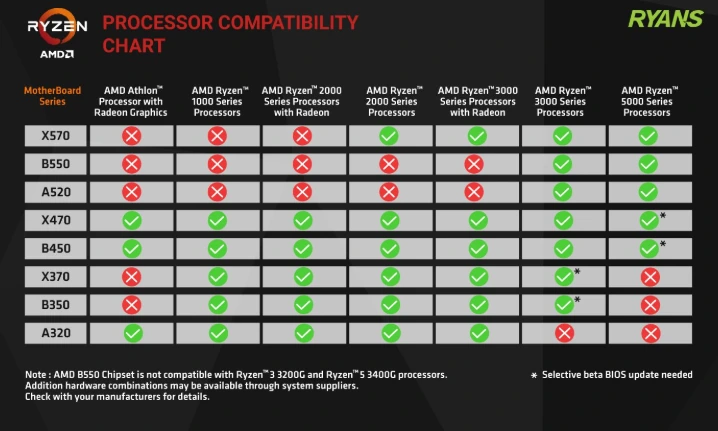
The first mistake is matching the brand but not the socket. A Ryzen CPU does not work in every AMD motherboard, and an Intel CPU does not work in every Intel motherboard.
The second mistake is ignoring BIOS support. Some older boards may need a BIOS update before they support newer CPUs. This is especially important when buying older stock.
The third mistake is assuming all boards with the same chipset are equal. One B650 board may have weak VRMs and few ports; another may be strong enough for a high-end gaming build.
The fourth mistake is buying more chipset than you need. Many users buy a flagship board for a mid-range CPU and one SSD, then never use the extra expansion features.
The fifth mistake is forgetting about case fit. A large motherboard will not fit into a small case, and a compact board may leave you short on slots later.
Which Chipset Should Most People Buy?
For AMD, most new builders should look at AM5 with a solid B650, B850 or X870 motherboard. AM4 is still useful for strict budgets, but it is not the best long-term choice for a fresh system.
For Intel, discounted LGA 1700 boards can still be good for 12th, 13th and 14th Gen builds. For a newer Intel platform, LGA 1851 with B860 or Z890 is the direction to consider.
For gaming, do not chase the highest chipset name automatically. Spend enough to get reliable power delivery, enough M.2 slots, the right RAM support, and the ports you will actually use. That balance matters more than buying the most expensive board on the shelf.